What is freeBSD?
FreeBSD is a cross-platform operating system that focuses on features, speed, and stability. It is derived from BSD, the version of UNIX® developed at the University of California, Berkeley. It is developed and maintained by a large community.
Cutting edge features
FreeBSD offers advanced networking, performance, security and compatibility features today which are still missing in other operating systems, even some of the best commercial ones.
Powerful Internet solutions
FreeBSD makes an ideal Internet or Intranet server. It provides robust network services under the heaviest loads and uses memory efficiently to maintain good response times for thousands of simultaneous user processes.
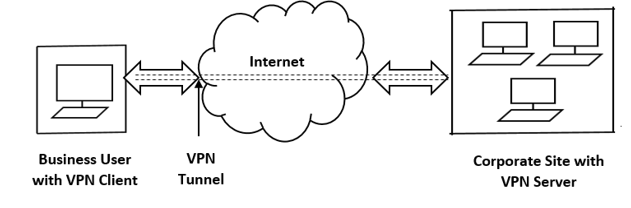
Virtual Private Networks – VPN
One of the most important and widely used security technologies uses encryption to provide secure access to an organization's intranet from a similarly remote location, using established protocols over the standard (unsecured) Internet. This technology, known as a virtual private network (VPN), was originally designed to provide a way to interconnect multiple geographic locations within an organization at low cost.
OpenVPN
OpenVPN is an open source VPN system that implements techniques for establishing secure point-to-point or site-to-site connections for remote access. It implements both client and server applications. OpenVPN allows nodes to authenticate each other using pre-shared secret keys, certificates, or username/password. When used in a multiclient-server environment, it allows the server to issue an authentication certificate for each client, using signatures and a certificate authority (CA). It makes extensive use of the OpenSSL cryptography library, as well as the TLS protocol, and includes many security and audit features. It uses a custom security protocol that leverages SSL/TLS for key exchange. It is capable of traversing network address translators (NATs) and firewalls.
freeBSD and VPN
Ensuring network security is one of the key responsibilities in managing an IT infrastructure. One of the best ways to create a secure connection to an insecure network (e.g. the internet) is to set up a VPN. FreeBSD is a powerful, flexible and advanced UNIX-like operating system, providing excellent support for configuring and using VPNs (e.g. openVPN).
Installing openVPN on freeBSD
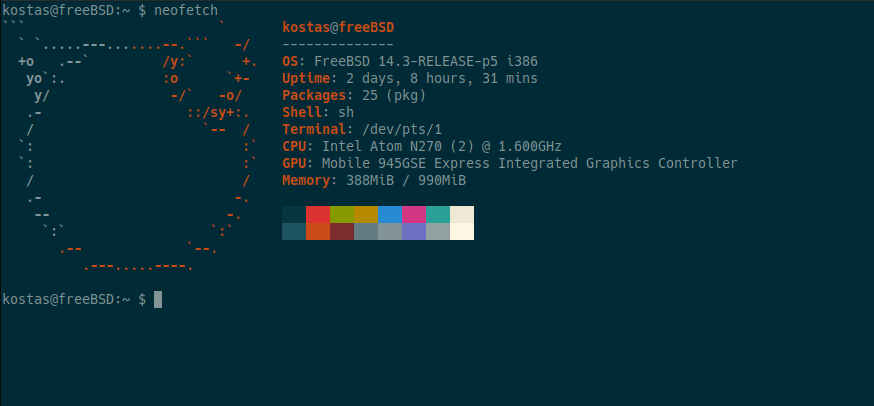
In our example we will use a 32-bit freeBSD system, on an old laptop directly to its hardware, in the example we have connected remotely with ssh.
The following command installs both openVPN and easy-rsa, easy-rsa is a CLI utility for creating and managing a PKI CA. In simpler terms, this means that it is used to create a root certificate authority, as well as submitting and signing certificates, including intermediate CAs and certificate revocation lists (CRL).

To do anything useful, Easy-RSA must first initialize a directory for the PKI. Multiple PKIs can be managed with a single installation of Easy-RSA, but the default directory is simply named "pki" unless otherwise specified.
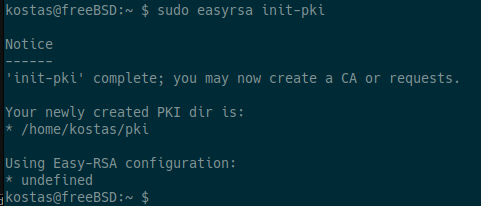
To sign requests for certificate generation, you need a CA. To create a new CA in a PKI you have created, run:
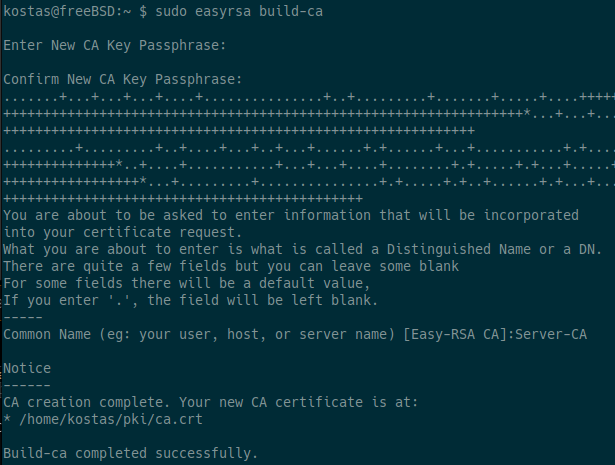
Make sure you use a strong password to protect the CA private key.
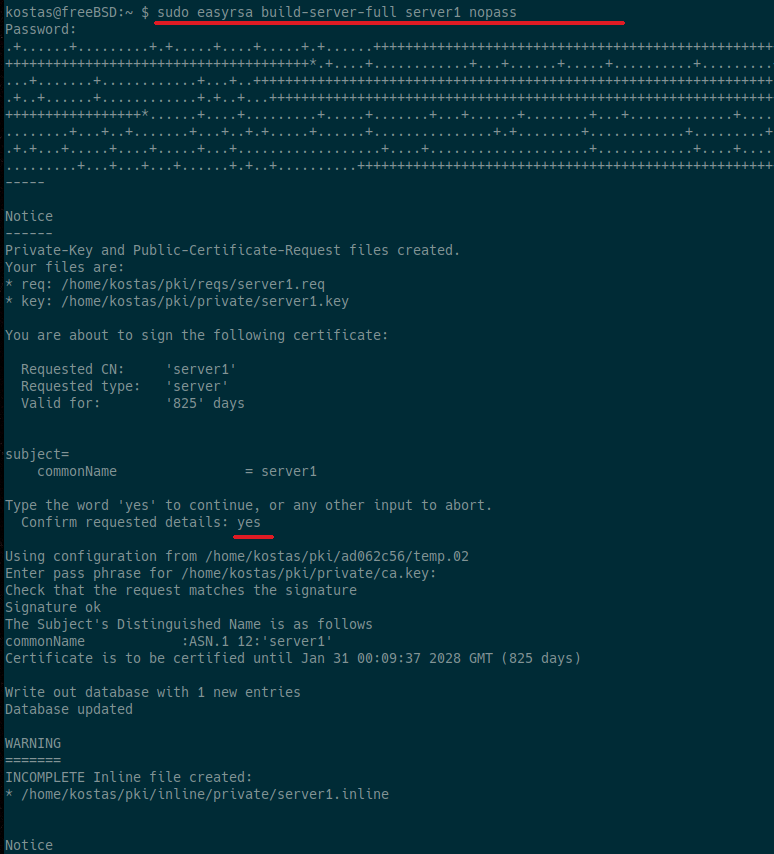
To create a full set of certificates for a server, named server1, with no password (nopass) on the private key, run:
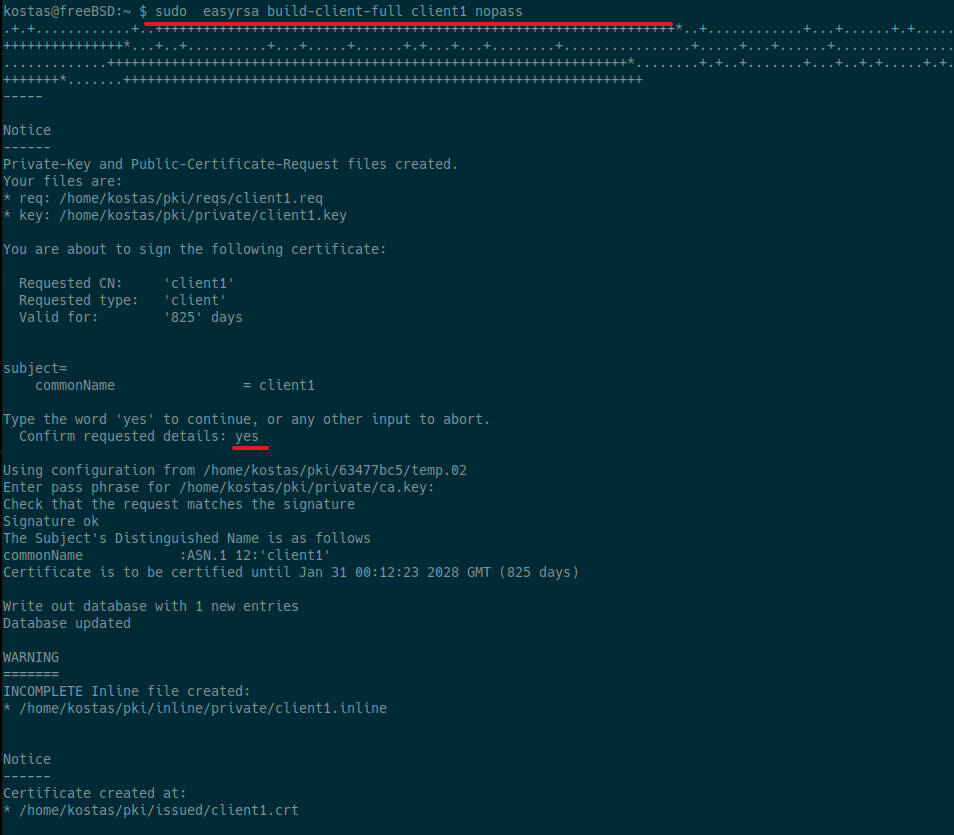
To create a full set of certificates for a client, named client1, with no password (nopass) on the private key, run:
To generate the Diffie-Hellman parameters (DH parameters), which are necessary for secure key exchange, we will need to run the command:
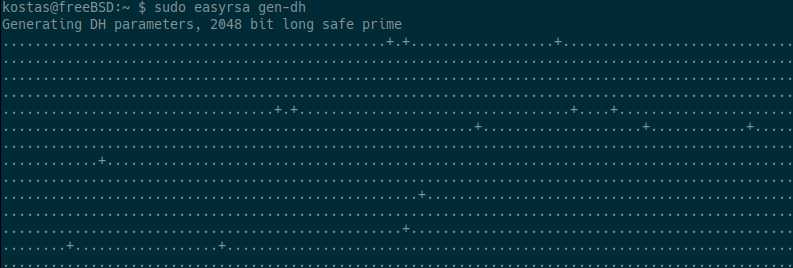
The command creates a large "secure" 2048-bit prime number, which is quite large and may take some time depending on the system.
Now we will generate a symmetric key ( shared secret key ), which is stored in the ta.key file. This key is used by OpenVPN for the so-called TLS authentication (HMAC) or tls-auth / tls-crypt.

With the following commands, we transfer all the security files (certificates, keys, parameters) that we created with Easy-RSA to the folder where the OpenVPN server needs them to function.

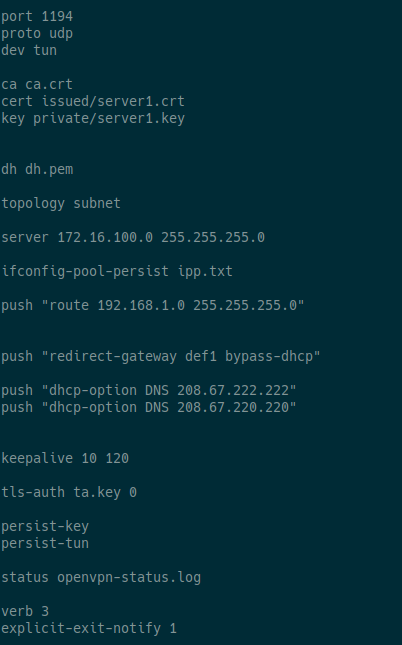
Then we configure the openvpn.conf file:

And add the following:
## OpenVPN listening port
port 1194

## use udp in this example
proto udp

## use tun in this example
dev tun

## specify certificates:
ca ca.crt
cert issued/server1.crt
key private/server1.key

## specify DH file
dh dh.pem

##clients and server are on the same IP subnet, as if they were on a shared LAN.
topology subnet

##specify the network to be used in the VPN (any network is fine except your local network)
server 172.16.100.0 255.255.255.0

##The server stores and remembers which IP has been given to each client in a file.
ifconfig-pool-persist ipp.txt

##your local network
push "route 192.168.1.0 255.255.255.0"

##all client Internet traffic goes through the VPN.
push "redirect-gateway def1 bypass-dhcp"

##tells the server to force the client to use the DNS server with IP 208.67.222.222
push "dhcp-option DNS 208.67.222.222"

##tells the server to force the client to use the DNS server with IP 208.67.220.220
push "dhcp-option DNS 208.67.220.220"

##keepalive settings
keepalive 10 120

##specify the TLS-Auth key and direction.
tls-auth ta.key 0

##Enable persistence options:
persist-key
persist-tun

##creates a log with the current VPN status.
status openvpn-status.log

##specify the log level
verb 3

##tells the server to send a message to the client when the connection terminates
explicit-exit-notify 1
the final result should be something like this:
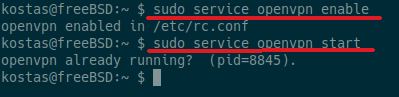
Enable at boot and start openvpn
Enable IP packet forwarding in the system (IP forward).

Next we configure pf.conf, Packet Filter (referred to as PF) is the OpenBSD system for filtering TCP/IP traffic and performing NAT. PF is also capable of smoothing and regulating TCP/IP traffic, as well as providing bandwidth control and packet prioritization. Since FreeBSD version 5.3, a version of the OpenBSD PF firewall has been included as an integrated part of the base system.

We add the following:
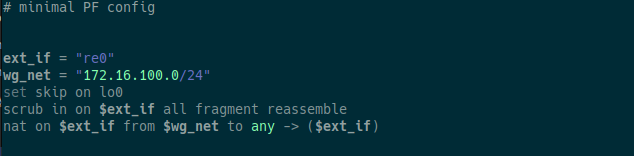
We change “re0” with the network interface we have
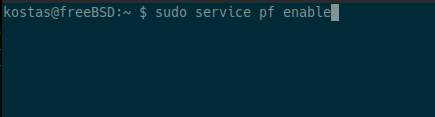
Then we start pf:
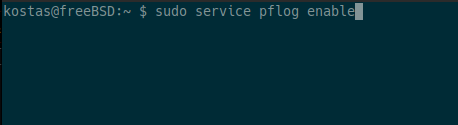


NOTE:
If your openvpn server is running in a virtual machine, disable
checksum offloading, (vtnet0 is the interface in the example).

Port forward and DDNS
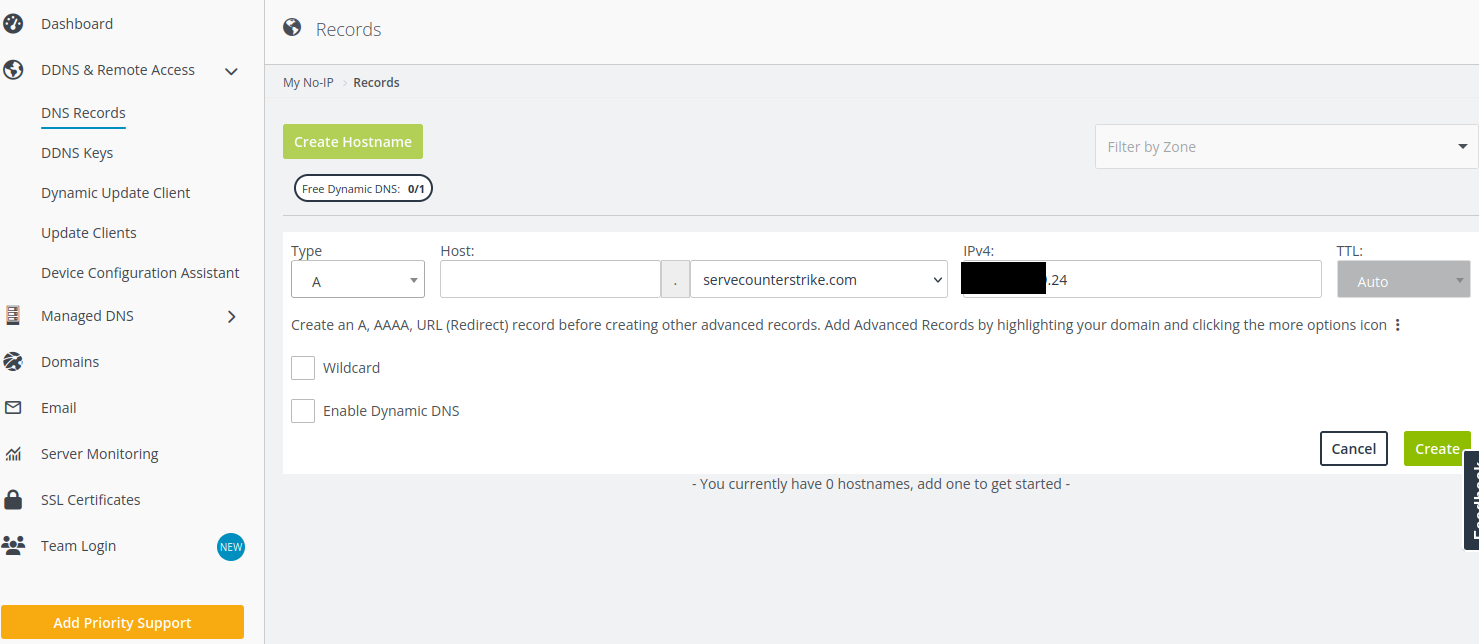
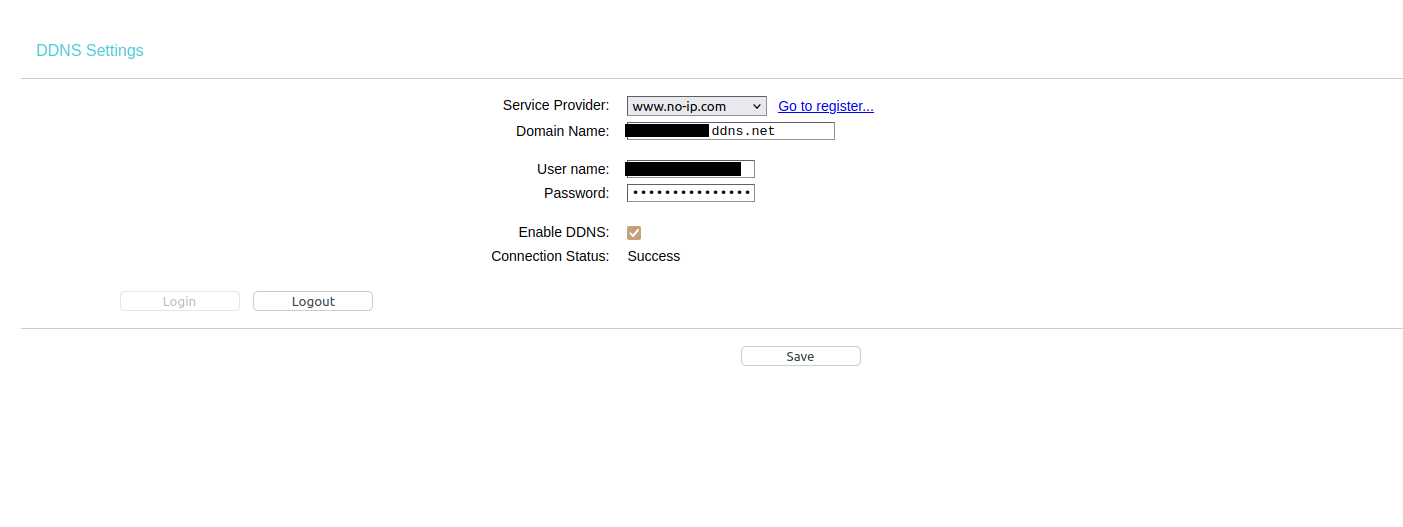
Port forwarding is a process that allows a computer or device within your network to "accept" connections from the external network (e.g. the Internet) and forward them to the appropriate system. DDNS (Dynamic Domain Name System) on the other hand is a service that allows you to have a fixed domain name, even if your network's IP address changes constantly. In our case, because we have both a dynamic IP and are behind NAT, we will use both to be able to access our server via the Internet.
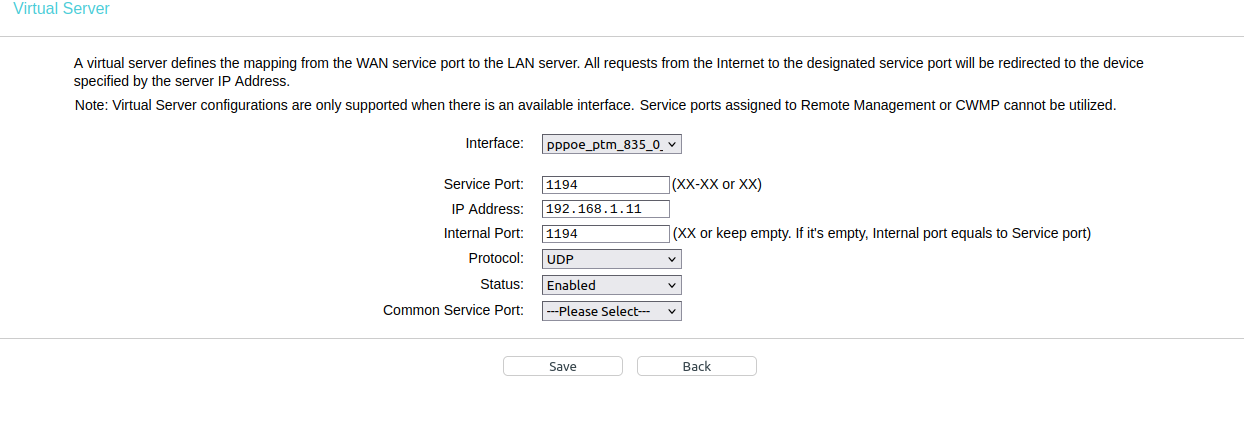
We enter the router settings for port forwarding and match the IP of our server on the LAN with the port we have set in OpenVPN (e.g. 1194), and the protocol (which here is UDP).
In addition, we configure DDNS through the provider (e.g. no-ip).
In addition, we configure DDNS through the router.
Installing the OpenVPN Client
The OpenVPN client (i.e. the user program) can be installed on many platforms such as Windows, Linux, macOS, iOS and Android. In our example, we will install it on Android. The installation steps may vary, but the graphical environment of the application is similar.
But before we get to the installation, we need to create a *.ovpn file that contains the certificates and keys we created, where can we find them:
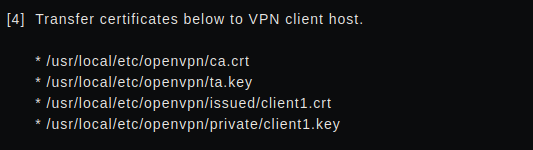
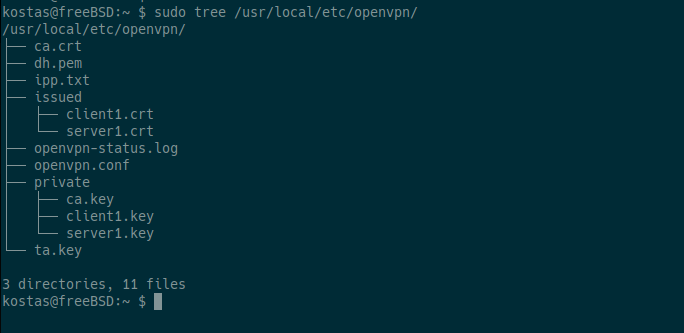
the file will have the format:
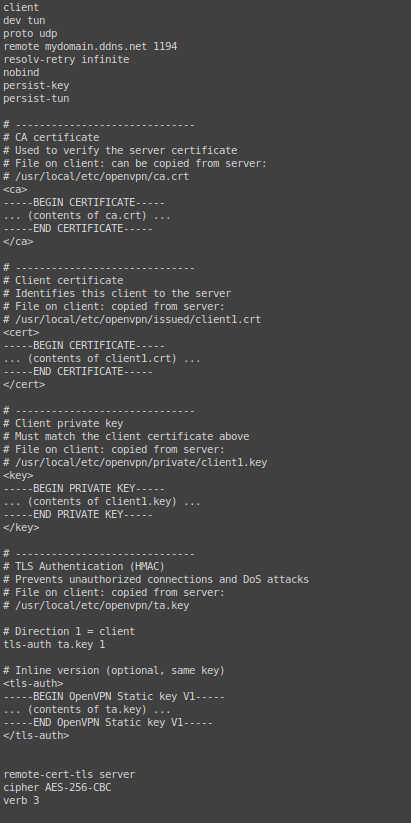
and save the file to the device
Then we install the openVPN client, from google play or f-droid or from apk:
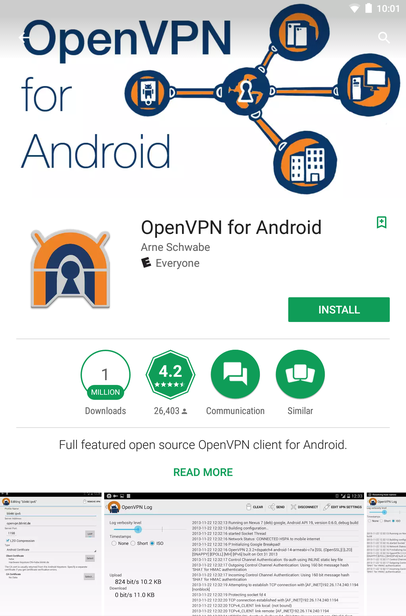
Open the application and select the import icon.
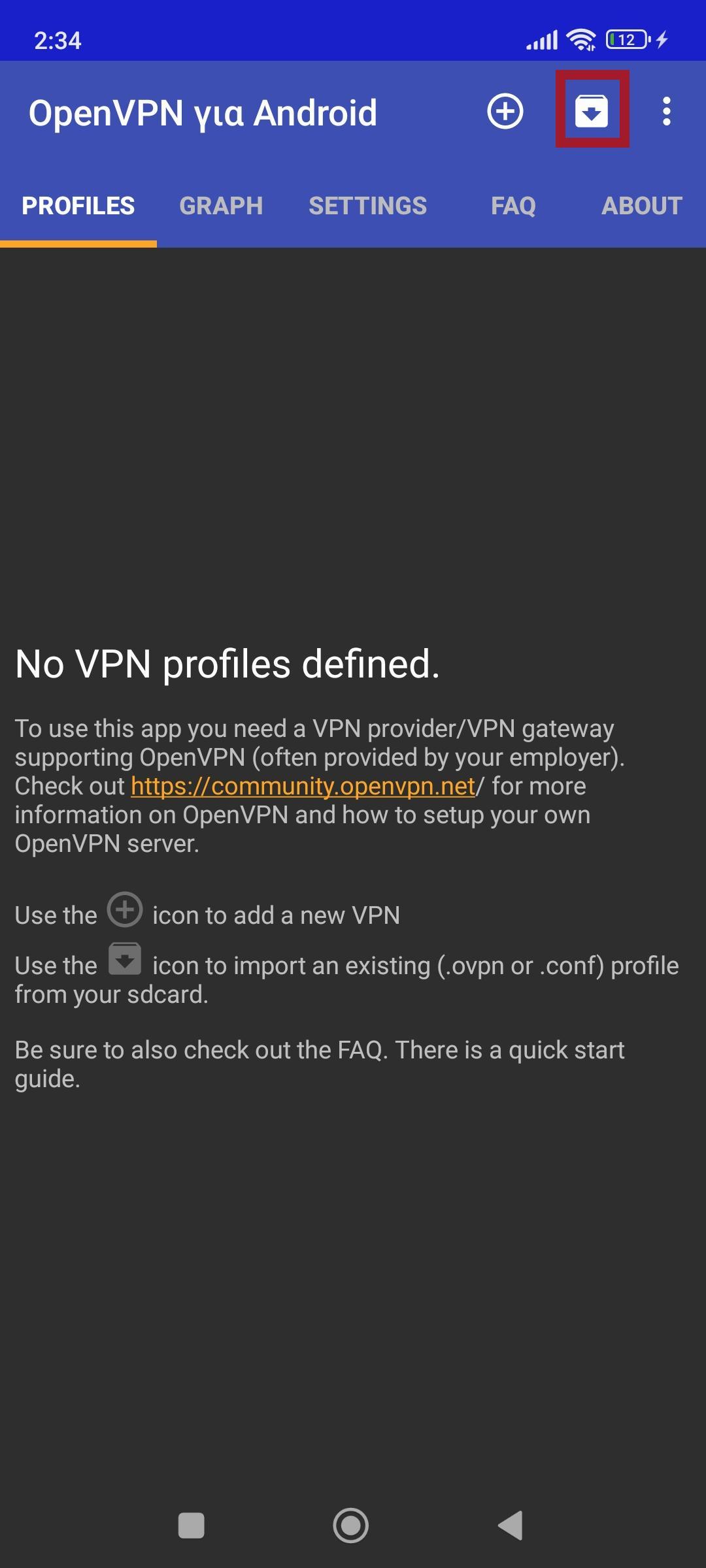
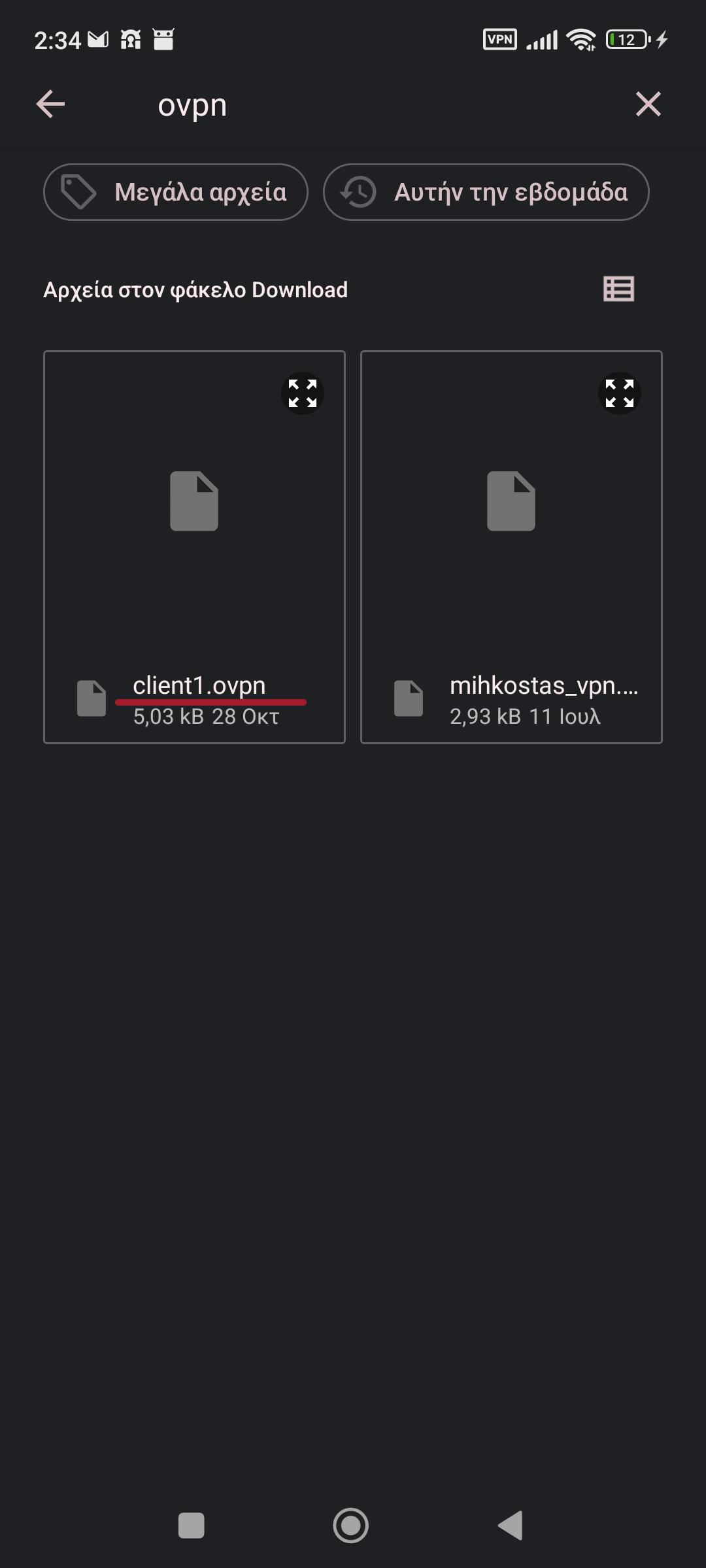
We select the file client1.ovpn
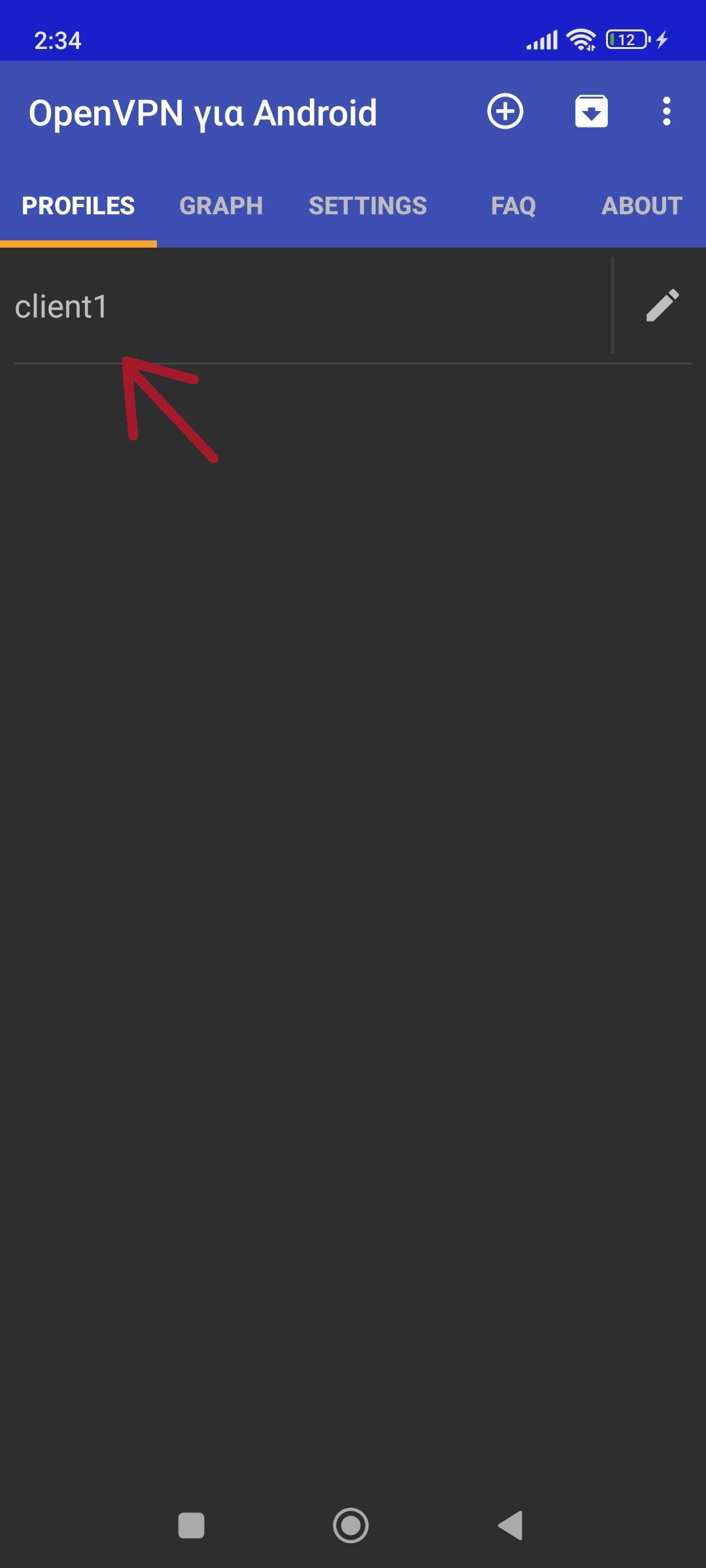
Then we select the profile:
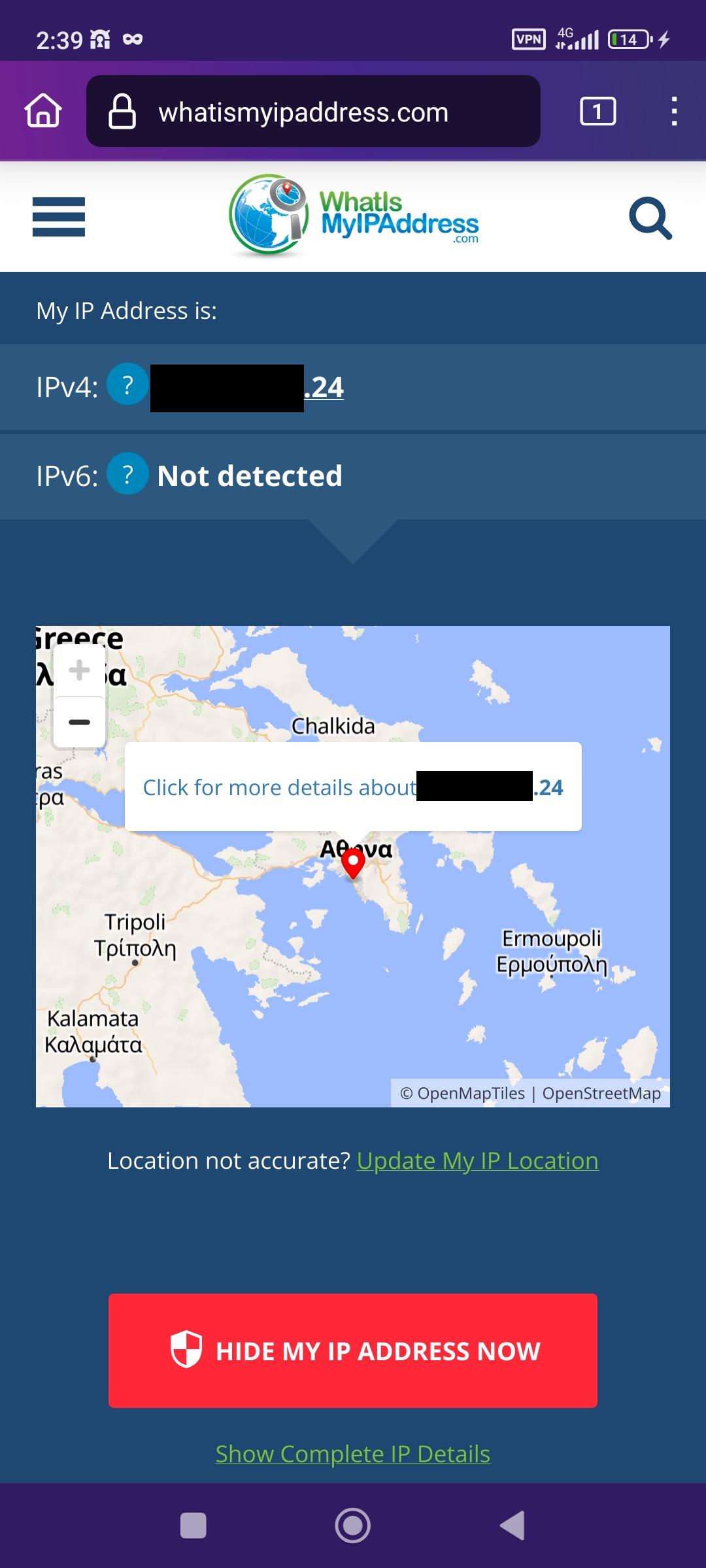
Once we see Sequence Completed, it means we are connected.
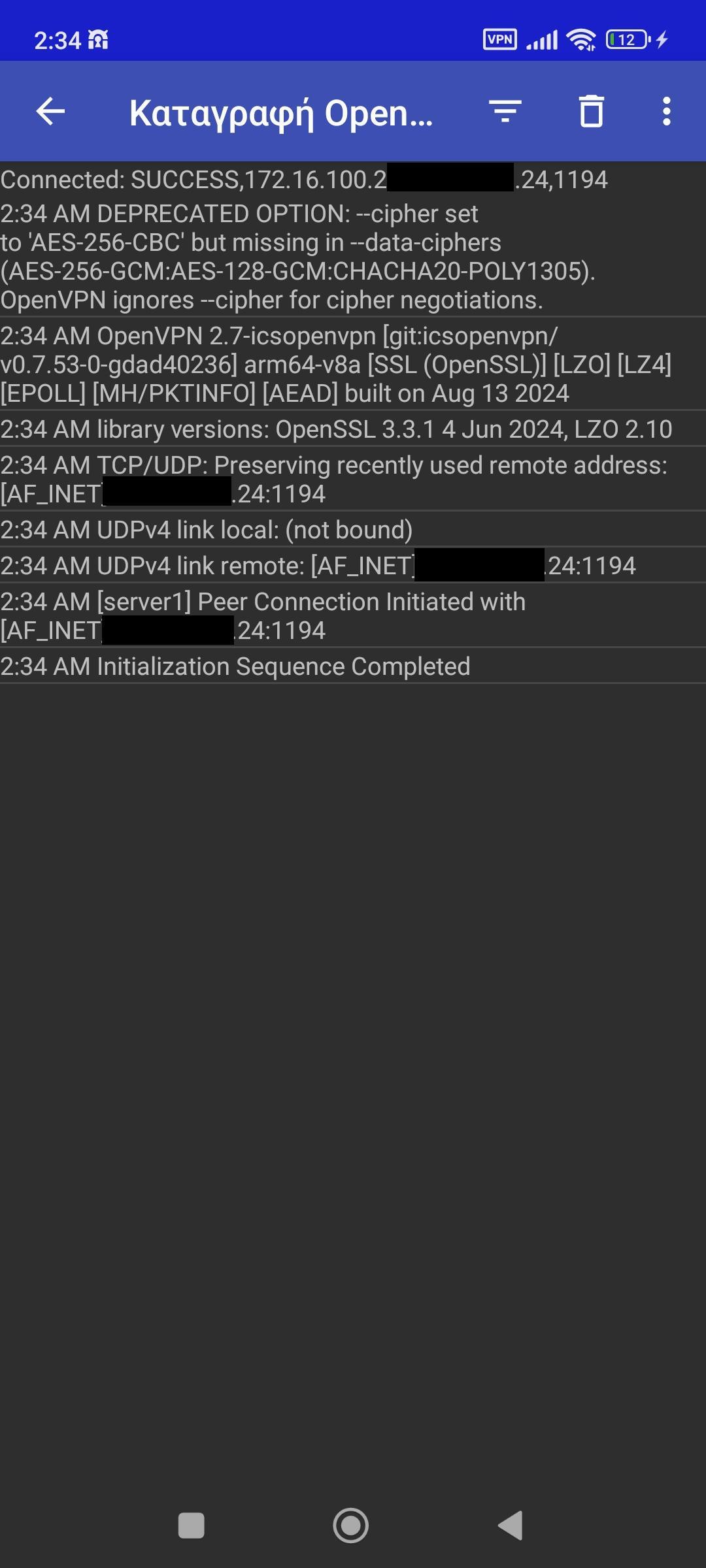
Example of connecting to the VPN
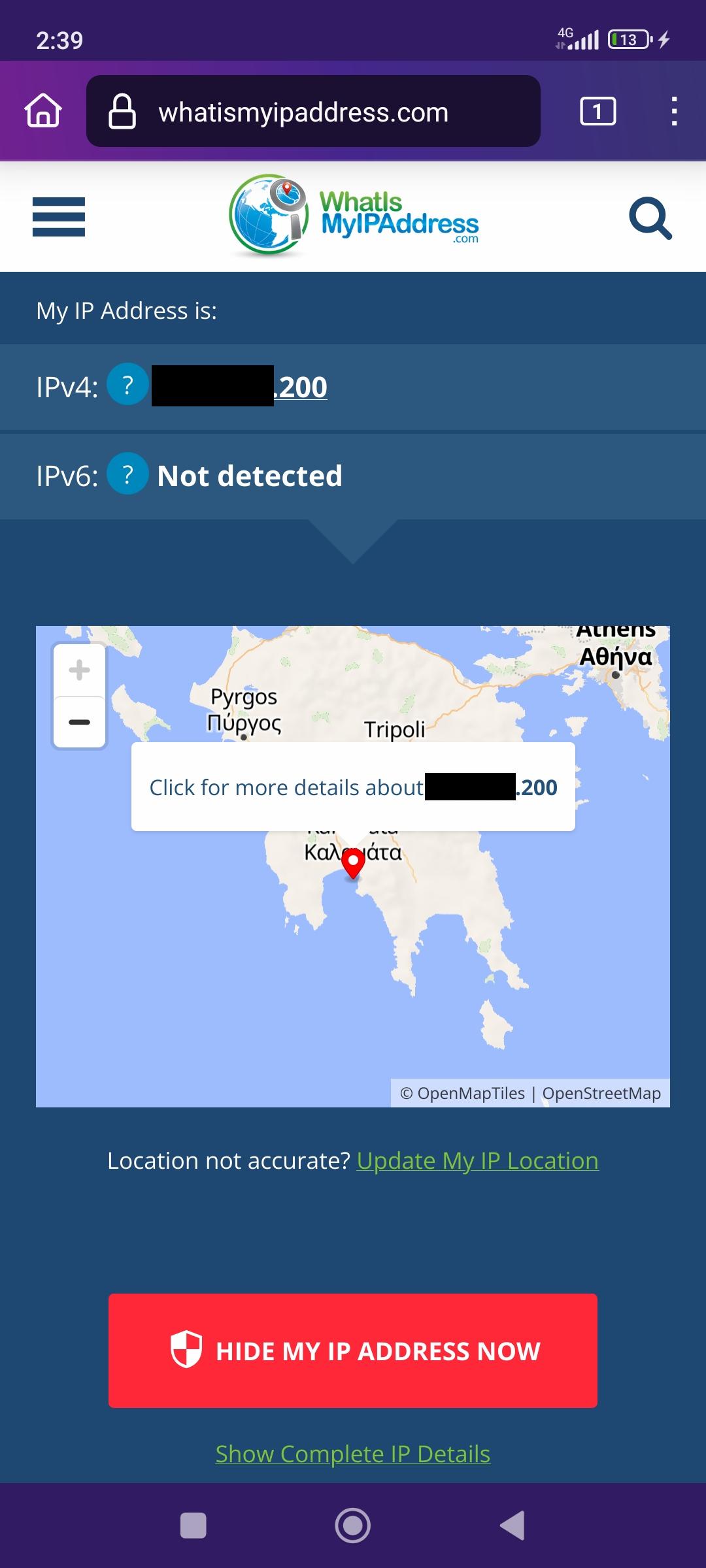
Example of connection without VPN
Sources
- FreeBSD Project. (2025). About FreeBSD. Available at: https://www.freebsd.org/about/
- Server World. (2024). OpenVPN Server Configuration on FreeBSD 14. Available at: https://www.server-world.info/en/note?os=FreeBSD_14&p=openvpn&f=1
- Wikipedia. (2025). OpenVPN. Available at: https://en.wikipedia.org/wiki/OpenVPN
- Comer, D. E. (2014). Computer Networks and Internets (6th Edition).
- FreeBSD Documentation Project. (2025). FreeBSD Handbook – Chapter 33: Firewalls. Available at: https://docs.freebsd.org/en/books/handbook/firewalls/
- OpenBSD Project. (2025). PF: The OpenBSD Packet Filter. Available at: https://www.openbsd.org/faq/pf/
- Mihkostas. (2024). FreeBSD Installation. Available at: https://mihkostas.github.io/free_BSD.html
- EasyRSA 3 HOWTO, OpenVPN Community Wiki. Available at: https://community.openvpn.net/Pages/EasyRSA3-OpenVPN-Howto